
1. You Spend More Time Searching Than Answering
How often does this happen in your shop? A family calls for an update, or your setter needs to confirm a detail, and the question echoes through the office: “Where are we on the Miller job?” What follows is a frantic scramble. Someone opens the main tracking spreadsheet, but the information isn't there. Now they’re digging through email inboxes, searching for a design approval, or flipping through a pile of papers on a desk to find the order form. By the time you find the answer, minutes have been wasted by multiple people.
This constant searching is the first major sign you’ve outgrown monument shop spreadsheets. When your core operational data is scattered across different files, email threads, and physical notes, your spreadsheet stops being a tool for clarity and becomes a source of friction. Every question triggers a manual, time-consuming investigation. This isn't just inefficient; it projects a sense of disorganization to families and creates a stressful environment for your team. A single, central place for all job information isn't a luxury—it's the foundation of a calm, professional operation.
2. Inventory Is a Constant—and Costly—Surprise
You quoted a family a beautiful Georgia Gray granite monument. They’ve signed the contract, paid the deposit, and approved the design. You send the work order to the shop, and that’s when you find out: you don’t have the right size slab in stock. Now you’re faced with a difficult choice: place a rush order with your supplier, hoping to get it quickly and eating the extra cost, or go back to the family and ask them to choose a different stone, creating a difficult and emotional conversation.

This scenario is a direct result of managing inventory on a spreadsheet. A static list of what you own is not true inventory management. An effective system must track not just what’s on hand, but what’s committed to other jobs and what’s currently in production. Spreadsheets can’t do this dynamically. They can’t automatically reserve a specific slab the moment an order is confirmed or deduct it from available stock. As a result, you risk selling the same stone twice, running out of popular colors unexpectedly, and tying up cash in inventory you don’t realize you have. For a detailed look at building a better system, read our guide to monument shop inventory management.
3. Quoting Is Slow, Inconsistent, and Leaking Profit
Creating an estimate for a custom monument involves dozens of variables: the stone type and size, the finish, the complexity of the design, sandblasting, lettering, foundation fees, setting fees, and cemetery permits. When your pricing lives in a spreadsheet, the quoting process is often slow and prone to error. Your salesperson has to manually look up each line item, calculate the costs, and assemble the quote. It’s easy to forget a fee, use an old price list, or miscalculate the total.
These small errors add up, directly eroding your profitability. A forgotten setting fee on a few jobs a month can represent significant lost revenue over a year. Furthermore, inconsistency becomes a problem. If one salesperson includes certain fees and another doesn't, you create a confusing customer experience. When quoting is a manual chore, it also becomes a bottleneck. Families are left waiting, and your team wastes time on administrative tasks instead of serving clients. A centralized system with up-to-date pricing templates ensures every quote is fast, accurate, and profitable.
4. Design Approvals Are Buried in Email Chains
The monument approval process is one of the highest-stakes parts of your entire workflow. A miscommunication or a missed revision can lead to the worst-case scenario: cutting the wrong design into an expensive piece of granite. Relying on spreadsheets and email to manage this is incredibly risky. A family might email an approval for “the final design,” but which version is that? Is it the one you attached yesterday, or the one from last week with the slightly different font?
Spreadsheets offer no help here; they can’t store design files, track revision history, or capture a clear, unambiguous sign-off from the family. Your team is left to piece together the story from long, confusing email threads. This creates a huge potential for error. The wrong file can easily be sent to the production team, and the mistake isn't discovered until the monument is already sandblasted. A dedicated system provides a single, authoritative place for all communication about a design, ensuring that when a family approves a proof, everyone—from the office to the shop floor—is looking at the exact same, correct version. Learn how to build a more reliable workflow in our 5-step monument approval process guide.
5. Production Bottlenecks Are Invisible Until It’s Too Late
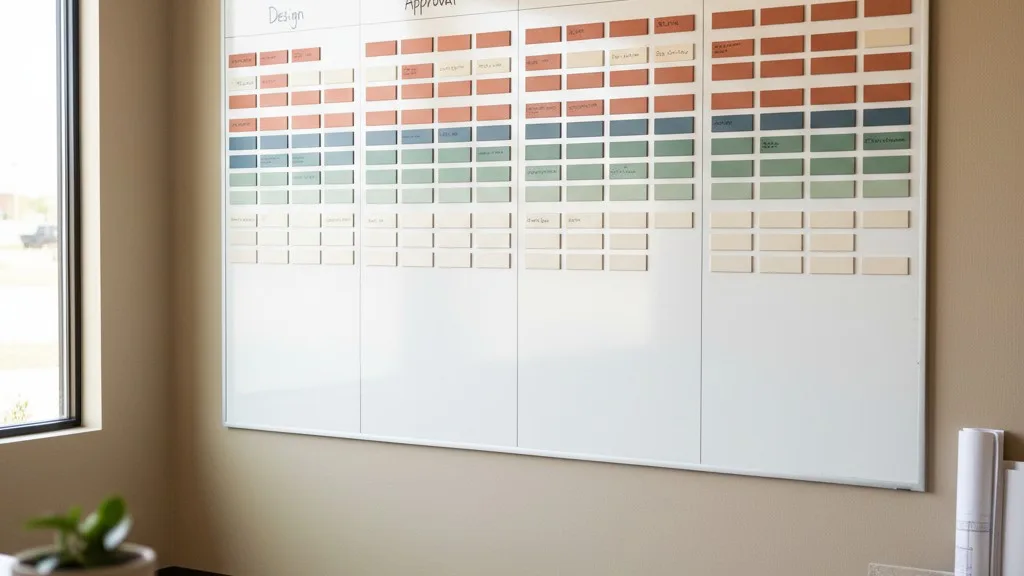
You walk out onto the shop floor and see a problem. The sandblasting bay is idle, but there are three finished monuments waiting for the setting crew, which is already overbooked for the week. Meanwhile, your designer is working on a complex etching, but the stone it’s for hasn't even been shaped yet. Your spreadsheet shows a list of jobs, but it can’t give you a dynamic view of your shop’s actual capacity or workflow.

A simple list of dates in a spreadsheet doesn't represent a true production schedule. It can't show dependencies—that the stone must be cut before it can be polished, and polished before it can be lettered. It doesn't provide a visual way to see where work is piling up. As a result, you manage by reacting to fires rather than preventing them. You only discover a bottleneck when a deadline is about to be missed. This leads to rushed work, overtime costs, and stressed-out employees. True monument shop software provides visual production scheduling tools, like Kanban boards or Gantt charts, that let you see your entire workflow at a glance, identify potential delays, and reallocate resources before they become critical problems.
6. Your Data Is Always Out of Date (and Untrustworthy)
The core promise of a shared spreadsheet is a “single source of truth.” The reality is often the opposite. For a spreadsheet to be accurate, every person who interacts with it must update it immediately and perfectly every single time. A salesperson has to mark a job as “sold,” the designer has to update the status to “proof sent,” and the shop foreman has to change it to “in production.”
In a busy monument shop, this perfect discipline rarely happens. Someone gets busy and forgets to update their column. Someone else accidentally types over a crucial piece of information. Two people open the file at the same time, and one person’s changes are overwritten. The result is that no one fully trusts the spreadsheet. You find yourself constantly double-checking the information or making “just to be sure” phone calls, defeating the entire purpose of the system. When you can’t trust your data, you can’t make good decisions about scheduling, purchasing, or staffing. The spreadsheet becomes a repository of outdated guesses.
7. Reporting Is a Painful, Manual Chore
At the end of the month or quarter, you need to understand how your business is performing. How many monuments did you sell? What was your average profit margin? Which stone colors are most popular? Which salesperson is your top performer? If your data lives in a spreadsheet, answering these basic questions requires a massive, manual effort.
Someone has to spend hours, or even days, painstakingly copying and pasting data, filtering rows, writing formulas, and trying to assemble a coherent report. The process is so time-consuming that you probably do it less often than you should. It's also prone to errors; one wrong formula or a misplaced cell can skew the entire report, leading you to draw the wrong conclusions about the health of your business. Good business decisions are driven by good data. If getting that data is a monumental task, you’re likely flying blind on key aspects of your operation. Specialized software has reporting built in, turning this multi-day ordeal into a few clicks.
8. You Can’t Access Information Away From the Office
A monument shop owner’s job doesn’t stop at the office door. You might be at a supplier’s yard when a question about inventory comes up. You might be meeting with a funeral home director and need to confirm the status of a family’s order. Or you might be at home in the evening and want to check on the next day’s production schedule. If your entire operation runs on spreadsheets stored on a specific office computer, you’re tethered to that desk.
This lack of remote access is a significant bottleneck. It means you can’t provide answers or make decisions on the fly. You have to say, “I’ll get back to you when I’m at my computer,” which slows down the process and makes you less responsive. In an emergency, like a production issue that happens after hours, this can be a serious liability. Modern, cloud-based software like Petra allows you to securely access your shop’s complete operational data from any device with an internet browser—a phone, a tablet, or a laptop. This gives you the freedom and flexibility to run your business from anywhere.
9. Onboarding New Employees Is Difficult and Inconsistent
When you hire a new salesperson, designer, or office administrator, how do you train them? With a spreadsheet-based system, training often consists of a series of verbal instructions and warnings: “Make sure you always fill in this column,” “Don’t touch this tab, it’s for accounting,” “If you need to find a price, you have to look in this other file.” The process is tribal knowledge, passed down from one person to the next.
This makes onboarding slow, inefficient, and inconsistent. The new employee is more likely to make mistakes because the “rules” aren’t built into the system itself. They have to remember a long list of steps and procedures, and it’s easy for things to fall through the cracks. A well-designed software system guides users through the correct process. Fields are required, statuses update automatically based on actions, and pricing is calculated without manual entry. This structure not only reduces errors but also makes it much faster for a new team member to become a productive and confident contributor to your shop.
10. There’s No Audit Trail for Mistakes
A monument is delivered to the wrong cemetery. A design is engraved with a misspelled name. An order is invoiced with the wrong price. Mistakes happen, but in a spreadsheet-driven workflow, it’s nearly impossible to figure out why they happened. Who changed that delivery address? When was the name misspelled, before or after the approval? Who overrode the standard price?
Spreadsheets have no memory. When a value in a cell is changed, the old value is gone forever. There is no audit trail to show who made the change, when they made it, or what the information was before. This makes it incredibly difficult to perform a root cause analysis and prevent the same mistake from happening again. You end up with a blame-game culture instead of a problem-solving one. A proper operational system logs every significant change, providing a complete history for every order. When an error occurs, you can quickly trace the steps, identify the breakdown in the process, and implement a targeted solution or training to fix it for good.
Moving Beyond Spreadsheets for Good
If several of these signs feel familiar, it’s not a sign of failure. It’s a sign of growth. Spreadsheets are a useful tool for a small shop just getting started, but they can’t support the complexity of a thriving monument business. The hidden costs of wasted time, costly errors, and missed opportunities are far greater than the price of a proper software solution. Making the switch is about giving your team the tools they need to do their best work and providing a better, more reliable experience for the families you serve.
Petra was built by monument people for monument people, specifically to solve these challenges. It unifies your orders, inventory, production, and scheduling into a single, reliable system. If you’re ready to see how a dedicated platform can calm the chaos, let's have a conversation.