
Choosing the right monument shop software feels like a high-stakes decision because it is. The right system can bring clarity and control to your entire operation, from the first conversation with a family to the final setting in the cemetery. The wrong one creates more work, frustrates your team, and hides costly mistakes. This guide breaks down the essential features your monument shop software needs to manage the unique complexities of your work.
Centralized Order Management and Point of Sale
A monument order is more than a simple transaction; it's a complex project with many moving parts. Generic invoicing software or paper forms can't keep up. Your software’s foundation should be a centralized order management system that understands the specific lifecycle of a memorial.
Look for a system where you can build a detailed quote, convert it to an active order, and generate an invoice all within the same record. This eliminates the need to re-key information, which is a primary source of errors. Every detail—the family’s contact information, cemetery location and regulations, stone type, dimensions, design notes, epitaph text, and payment status—should live in one place. When a family member calls with a question, anyone on your team should be able to pull up the order and give a confident, accurate answer.
A strong point-of-sale (POS) capability built for monuments is also critical. It should handle deposits, payment schedules, and final payments gracefully. It needs to accommodate sales of finished inventory pieces as well as complex, custom-designed memorials. This unified approach ensures your sales desk, design team, and accounting are always working from the same sheet of music. It prevents the all-too-common problem of a design being approved for a stone that was already sold, or production beginning on an order that hasn't received a deposit.
Design and Approval Workflow
The journey from a family's wishes to a final, approved headstone design is delicate and requires precision. Your monument shop software should support this process, not complicate it. The goal is to create a clear, documented trail of communication and approvals to prevent misunderstandings and costly rework.
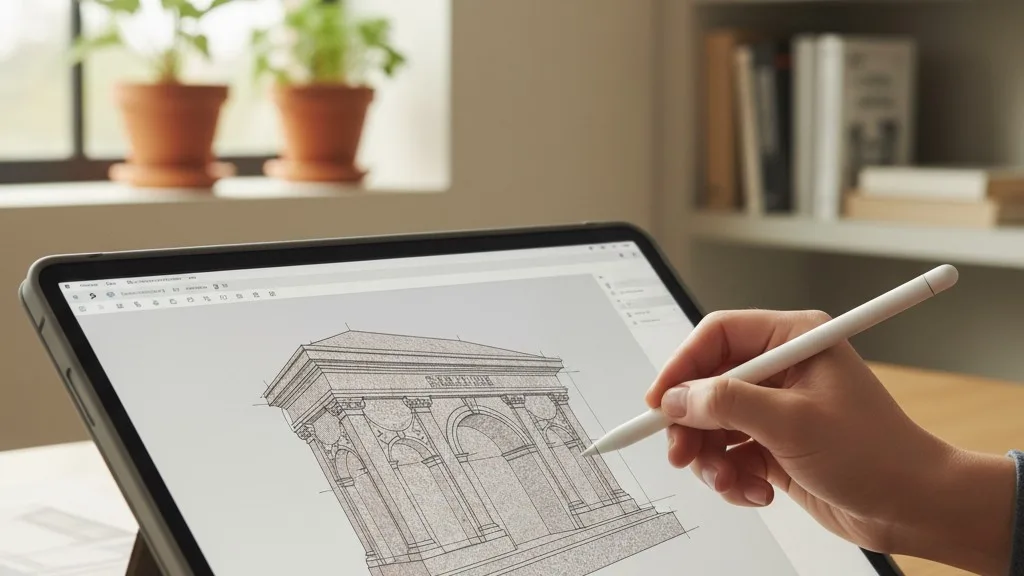
An effective system provides a dedicated space within the order record for all design-related information. This includes storing design files, CAD drawings, and proofs. When the designer finishes a draft, they should be able to upload it directly to the order. This creates a single source of truth, ending the frustrating hunt through shared drives and email chains for the latest version.
The approval process is where many shops face friction. Look for features that formalize this step. For example, the software might allow you to send a proof to a family directly from the system and log their approval with a date and time stamp. This is far more reliable than a verbal confirmation over the phone. A documented approval protects both the family and your business, ensuring that what gets carved is exactly what they wanted. This digital paper trail is your best defense against the costly mistake of engraving an unapproved design.
Production and Workshop Scheduling
Once a design is approved, the order moves to your workshop. This is where software can transform controlled chaos into a smooth, predictable process. A generic calendar isn't enough; you need a production scheduling tool that understands the specific stages of monument fabrication.
Effective monument shop software gives you a real-time view of your entire production floor. You should be able to see every active order and its current status at a glance: waiting for stone, in design, ready for sandblasting, in lettering, or awaiting final cleaning. This visibility allows your shop manager to plan the day's or week's work efficiently, grouping similar tasks or prioritizing rush orders without constant interruptions and status meetings.
Drilling down, the software should allow you to assign specific tasks to different workstations or team members. This creates clear accountability. It also helps identify bottlenecks in your workflow. If you consistently see orders piling up at the sandblasting stage, you know where you need to focus your attention, whether it's on training, equipment, or staffing. By tracking the progress of each piece, you can give families more accurate completion estimates and manage your own resources more effectively. For shops that also manufacture vaults, a system like Petra that handles both vault manufacturing and monument production in one unified schedule is invaluable.
Granular Monument Inventory Management
Monument inventory is heavy, expensive, and difficult to track with manual methods. A simple count of finished headstones in the yard doesn't capture the full picture. True control comes from a granular inventory management system that tracks stone from raw slab to finished memorial.

Your software should allow you to manage inventory at a detailed level. This means tracking not just finished monuments but also the raw materials that go into them. You should be able to log new shipments of granite or bronze, categorizing each slab by color, size, and origin. When a new order is created, the system should allow you to commit a specific slab to that job. This prevents a single, popular stone from being sold to two different families.
This level of detail extends to remnants. After a large slab is cut for a monument, the remaining pieces are still valuable assets. Good software lets you track these remnants, complete with their dimensions, so they can be used for smaller projects like markers or bases. This practice reduces waste and improves your material yield. Ultimately, a robust inventory system gives you a real-time understanding of what you have, what's committed to jobs, and what you need to order, preventing both stockouts and costly overstock.
Delivery and Setting Logistics
The final step in fulfilling a monument order is the delivery and setting. This is a final, critical touchpoint with the family and the cemetery, and there is no room for error. Your software should extend beyond the workshop doors to help you manage these final-mile logistics with precision.
A key feature is a dedicated delivery and installation schedule. This should be more than just a calendar entry; it should be linked directly to the order record. The schedule should display all necessary information for the setting crew: the cemetery name and address, plot location details, a contact person at the cemetery, and any specific setting instructions or equipment needed. This ensures the crew arrives prepared.
Mapping and routing capabilities are also incredibly helpful. The ability to visualize all of a day's deliveries on a map helps you plan the most efficient route, saving fuel and time. It also helps avoid scheduling conflicts, like booking two settings in distant cemeteries too close together. By having all this information organized within the software, you reduce frantic last-minute phone calls and the risk of arriving at the wrong grave or on the wrong day. This level of organization presents a professional and reliable face to your cemetery partners and the families you serve.
Accounting Integration
Running your operations in one system and your accounting in another creates a constant, time-consuming need for duplicate data entry. This is not only inefficient but also a frequent source of costly financial errors. Look for monument shop software that integrates directly with your accounting platform.
A common and valuable integration is with QuickBooks Online. When your shop software is connected, key financial information can flow automatically between the two systems. For instance, when you create an invoice for a monument order in your operations software, that invoice can be automatically created in QuickBooks. When a payment is recorded, that can be synced as well. This ensures that your financial records are always up-to-date and accurate, without an employee having to manually type the data a second time.
This connection saves hours of administrative work and provides a much clearer picture of your business's financial health. You can generate financial reports in QuickBooks that are based on real-time operational data. This helps you understand profitability per job, track revenue more accurately, and simplify your bookkeeping and tax preparation. A monument software QuickBooks integration bridges the gap between your workshop and your back office.
Choosing the Right Partner
Finding the right software is about more than just a list of features. It's about finding a tool that fits the way your monument shop actually works. As you evaluate your options, consider whether the software was designed from the ground up for the unique challenges of the death care industry. Many generic systems can be adapted, but they often lack the specific workflows that make a monument business run smoothly.
The best systems are often built by people with direct experience in the field. They understand that a monument is not just another product, and that every order represents a family navigating a difficult time. When your software reflects that understanding, it does more than just organize your work—it helps you serve your community with greater care and professionalism.
If you're ready to see how software built specifically for monument and vault operations can bring clarity to your shop, we invite you to schedule a conversation about Petra. We'd be happy to show you how these features work in a real-world context.


